UI/UX Designer on Life Eater
Intro
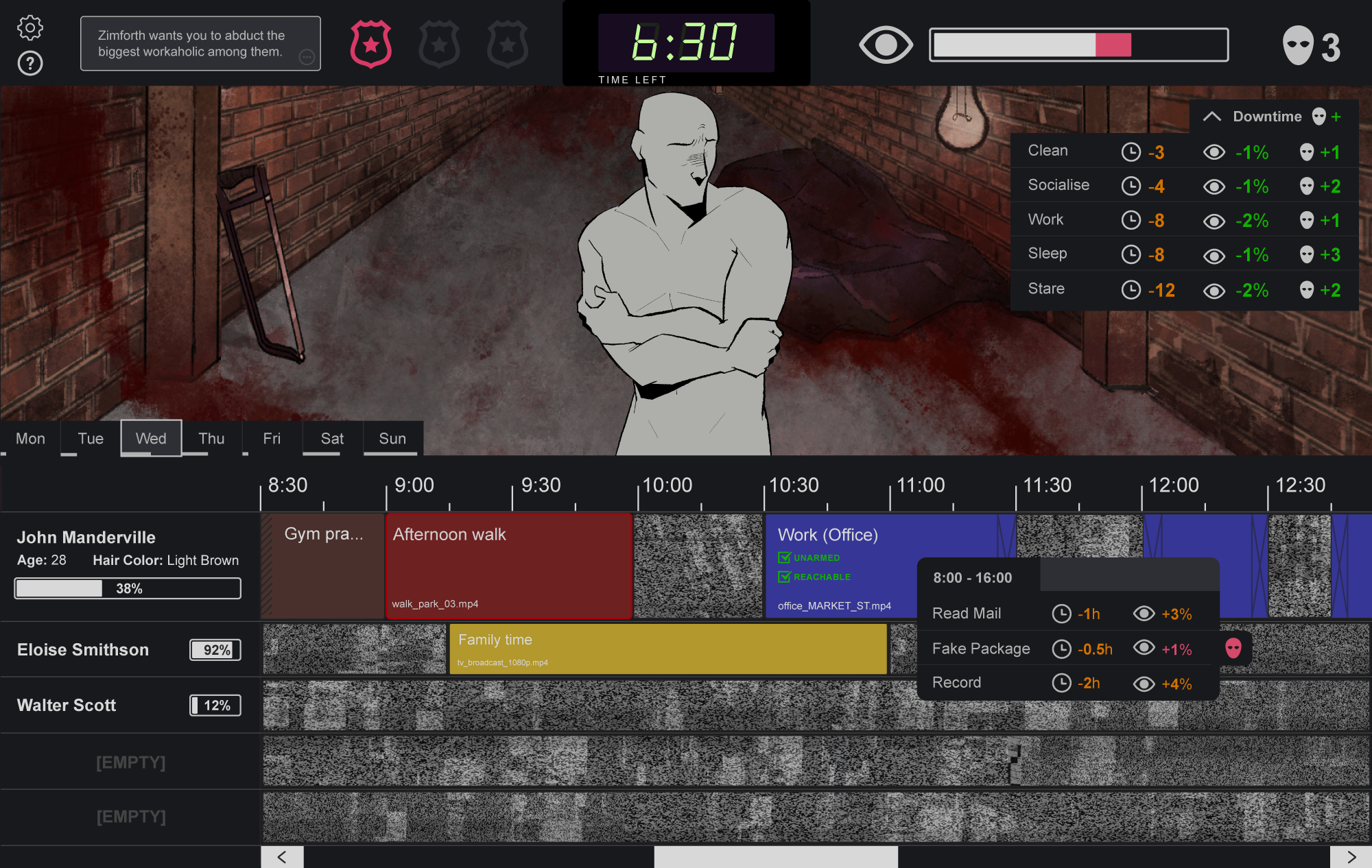
I was the UI/UX Designer on Strange Scaffold's Life Eater, and I'll let the game's Steam blurb speak for itself:
If you don't sacrifice your neighbors, the world ends. Life Eater is a horror fantasy kidnapping simulator where you must become intimately familiar with your targets' lives one intrusive action at a time... and hope that the dark god you serve is even real.
The player uses a video editor-inspired interface to select which activity blocks to investigate in their targets' schedules, both to identify who they are meant to sacrifice that year and to work out the best time for their abduction. A classic example of a cozy game to unwind to!
What started as a portfolio case study has turned more into a step-by-step development overview for Life Eater's UI, as I love talking about process. Hope you enjoy reading & playing as much as I enjoyed working on it!
Identifying references
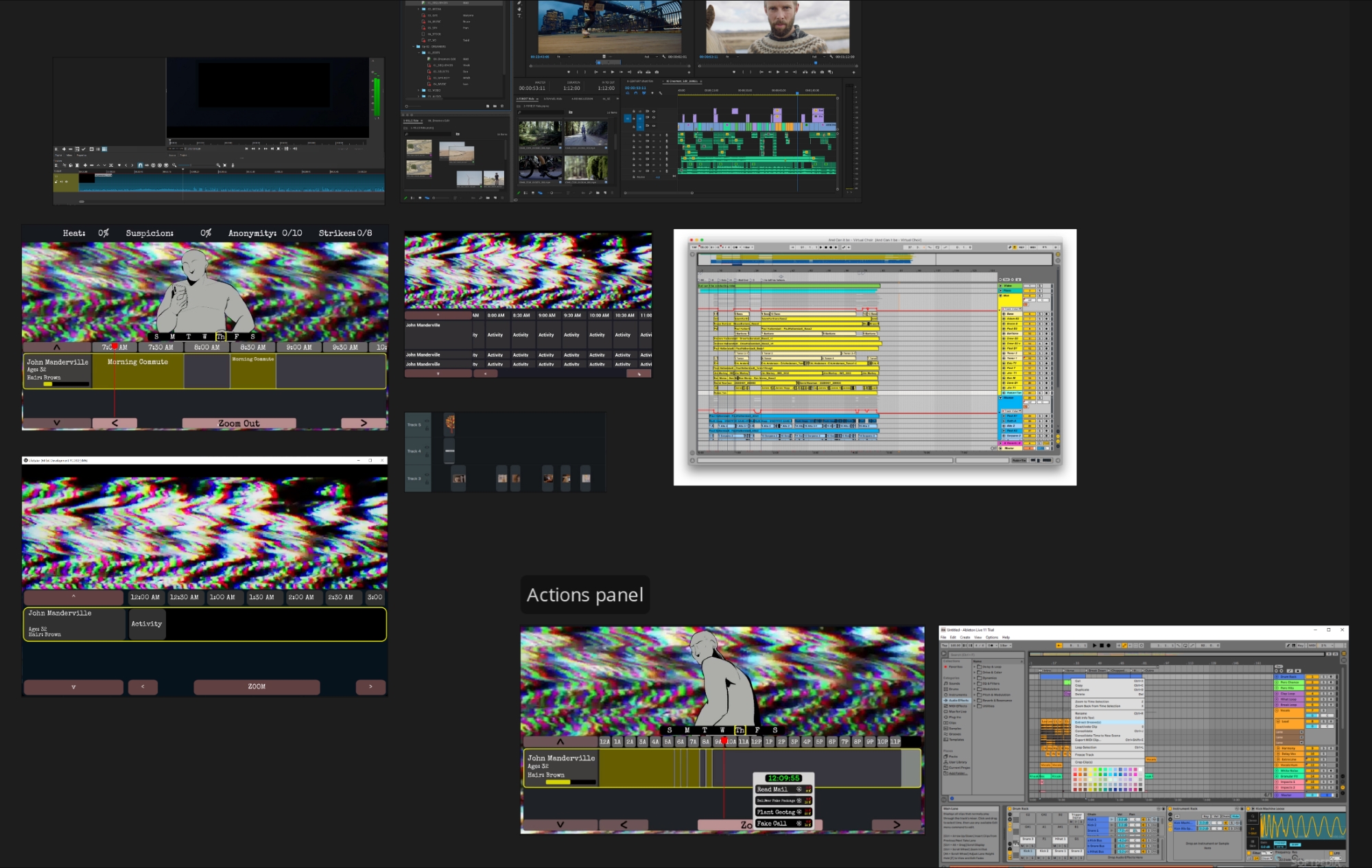
The first step involved gathering interface references of video and audio editing programs that had a timeline component in PureRef, and adding screenshots of the existing prototype's UI side-by-side. That way I could keep in mind the core functionality we wanted to support alongside looking at the visual inspirations.
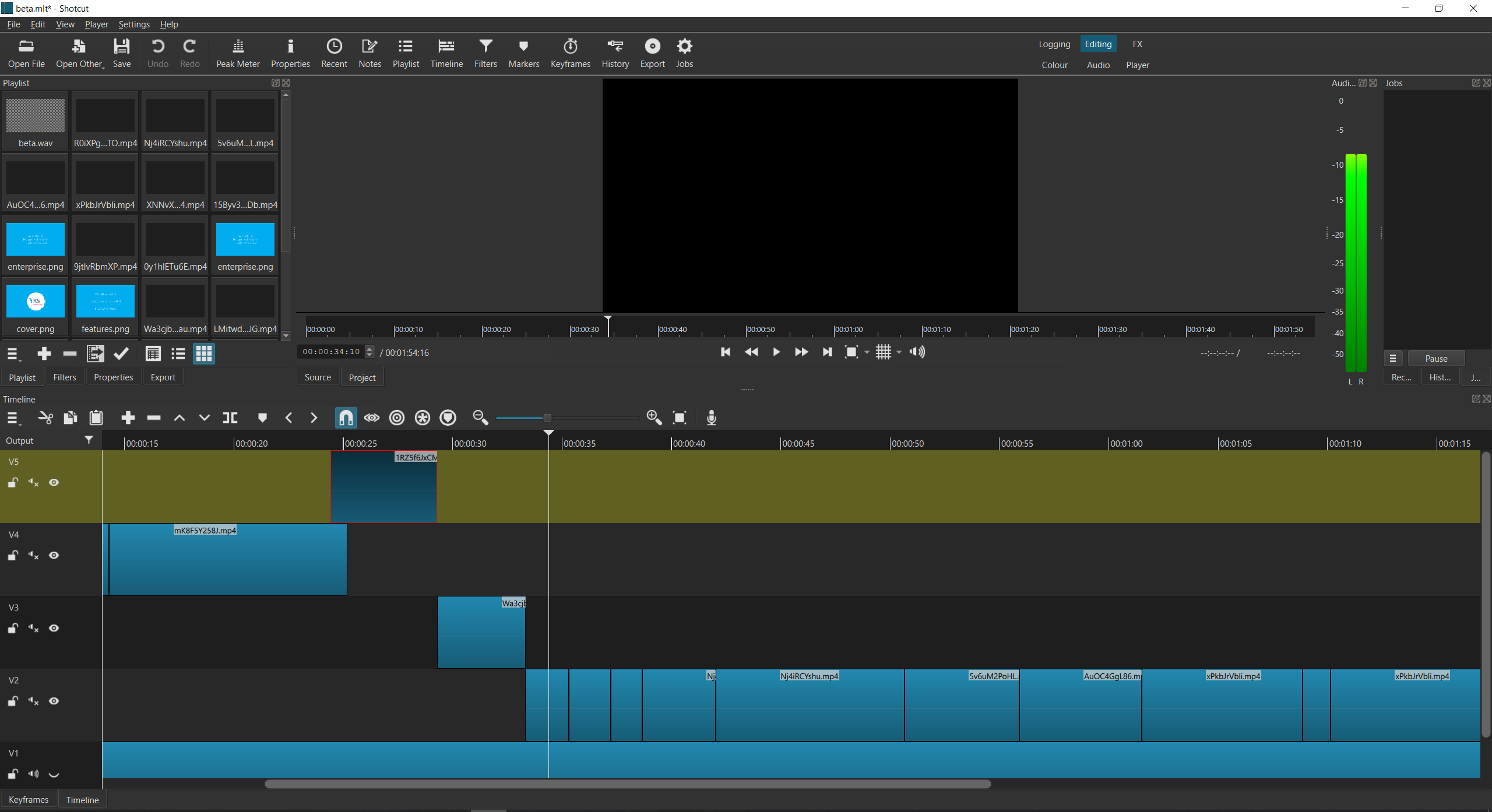
Point-of-sale systems are also good references of overwhelming, impersonal interfaces, but it turned out Xalavier is a fan of the open-source video editor Shotcut, so we zeroed in on it as a primary visual reference. Notice the rows of cramped, chunky icons; Shotcut is not about fancy gradients or giving text plenty of padding. It's focused on being functional and providing you with all the complex information you require to do your work. That's the vibe we wanted for Life Eater's interface.

Sketching the core UI element
I focused on the visual design and layout of the timeline component first, as it was the main interaction area for the game and would inform how the rest of the interface would look.

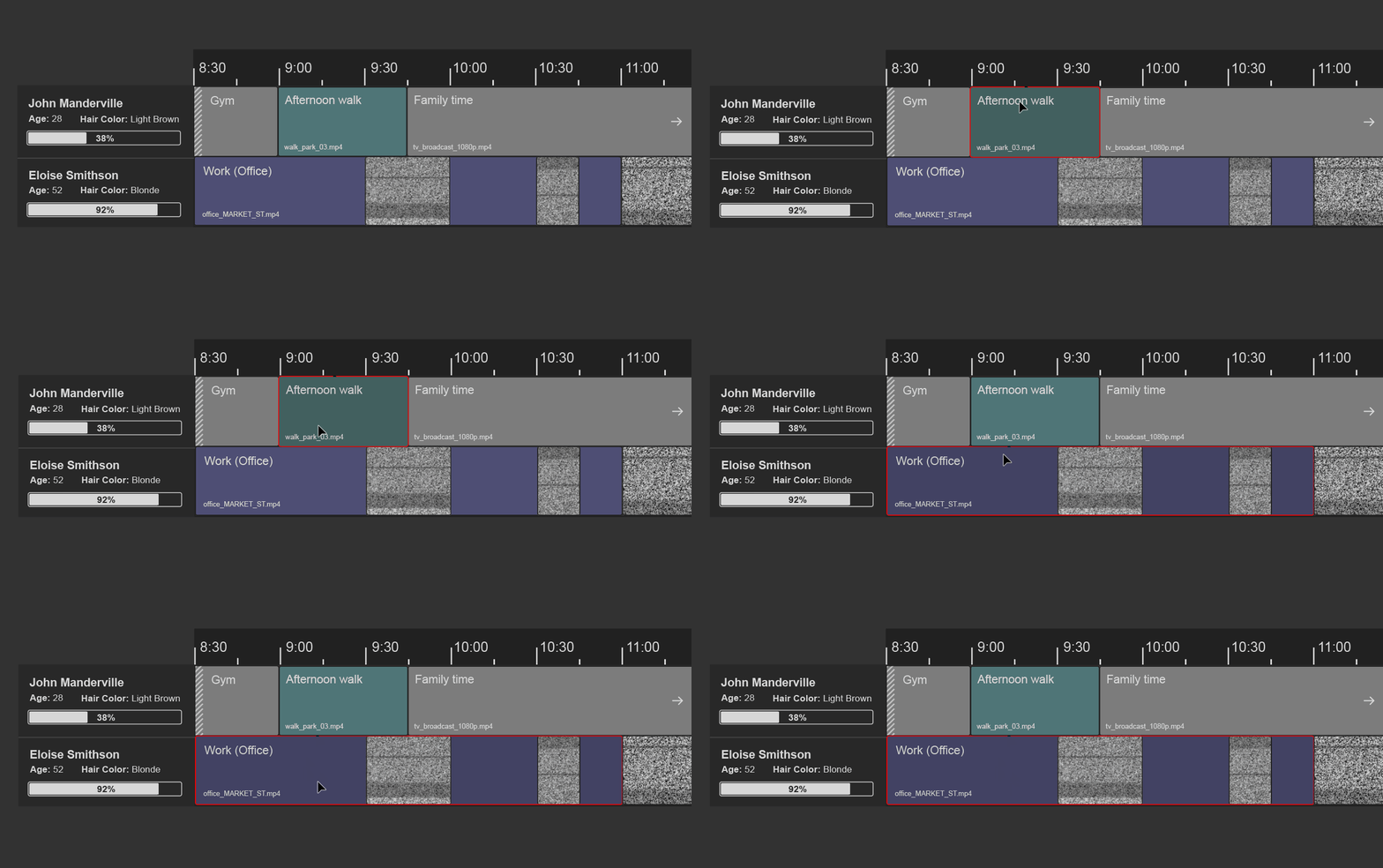
Putting on some retro effect filters on the mockup helped visualise what the UI could look like in-game, so as to get a feel for whether the direction would fit the "haunted Shotcut" aesthetic we were aiming for.
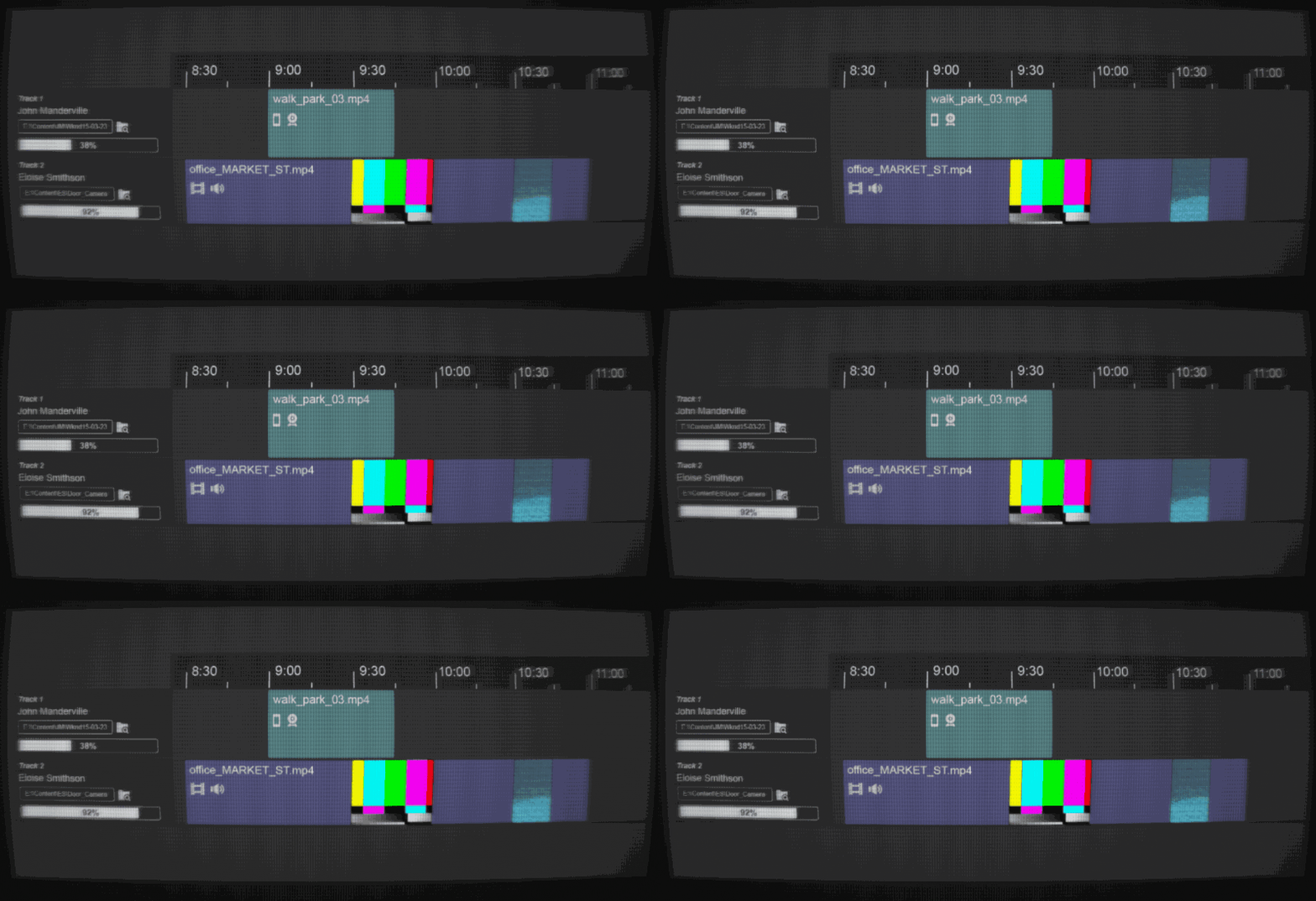
Mocking up visual feedback we'd want to give players when they interact with the timeline was done using Photoshop layers and ScreenToGif to quickly fake interaction. You can see ideas on how to represent spans of time that stretch beyond the currently zoomed-in area, and hidden activity blocks. We removed icons from activity blocks, so that players wouldn't be led to think there was accompanying in-game audio/video associated with each block.
Collaborating on making the gameplay rules explicit
Since I wasn't involved on this project from its inception, I needed to quickly catch up on what the intended gameplay and mechanics were, and what the UI needed to include as a result.
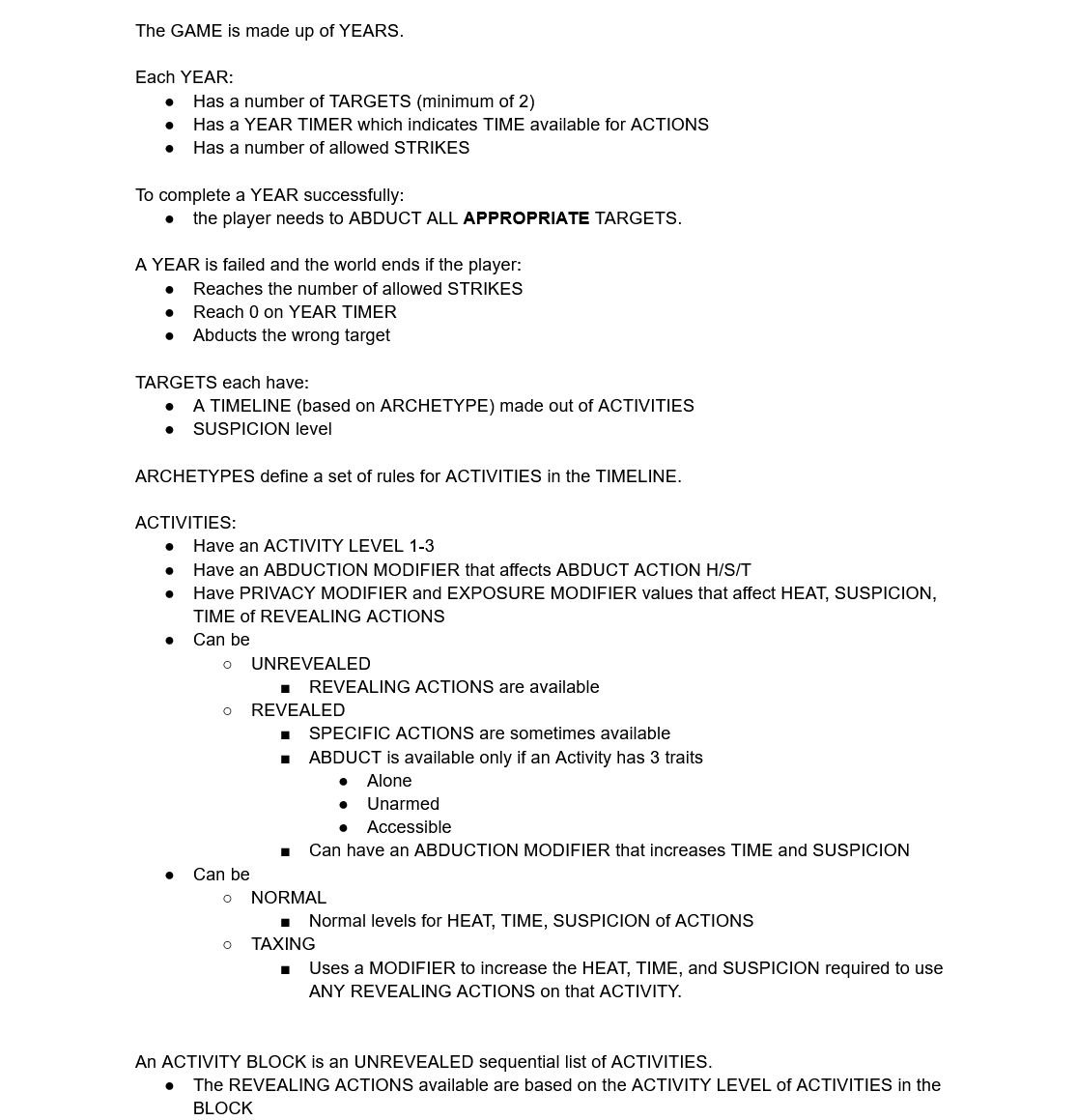
I wrote out the game rules, goals, variables and questions I had about them in a bullet-pointed document, as if I was writing a TTRPG rulebook for the game. Writing things down concretely in this way brings to the surface any existing vagueness in the game mechanics; we ended up reviewing this document in a group call, line by line, which helped ensure we all had the same understanding of how the gameplay was intended to work. It was easier to identify elements to change or simplify when the entire gameplay loop was laid out in a few pages; it also enabled us to agree which variables would be visible for the player, and thus I needed to include in the UI, and which would be behind-the-scenes stats.
This was extremely useful, as I now had a clear idea of what I needed to spend my time on during the few hours I was working on the game every week, alongside my day job.
Designing the overall interface layout
To build out the rest of the UI, I used a screenshot of the existing prototype as a background, and layered placeholder elements on top of it to visualise possible layouts; alongside that, I'd be exploring variations on each of the elements as well.
Showcasing the UI elements in context of the wider interface makes decision-making easier on what works and what doesn't, but it does mean developing any elements that interact together in parallel. The goal was to enable the creative leads to make informed calls on the direction and slowly narrow down on a first version of the full UI. My Illustrator artboards end up looking like collage experiments, with elements at different levels of polish next to each other.
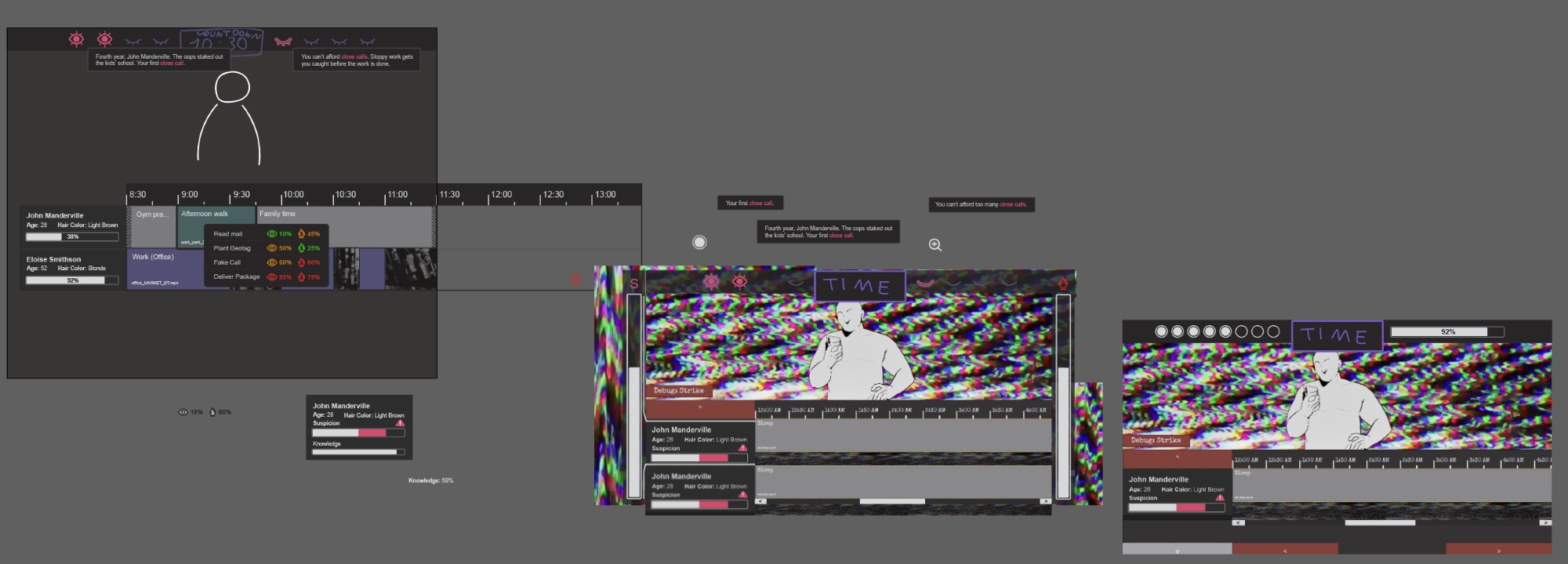
Since this was an interface and numbers-heavy game, with various progress bars and actions that impact several stats at once, a lot of the work consisted of figuring out how to present all this information in a clear way for the player, ensuring elements were aligned and visually consistent, and making best use of available space. At this point, we're switching to a consistent Illustrator artboard dimension, to make sure the UI is designed with our target resolution in mind.
Things look out of place and unfinished for a long while. Here's what it looked like when I was mid-through the first full interface draft.
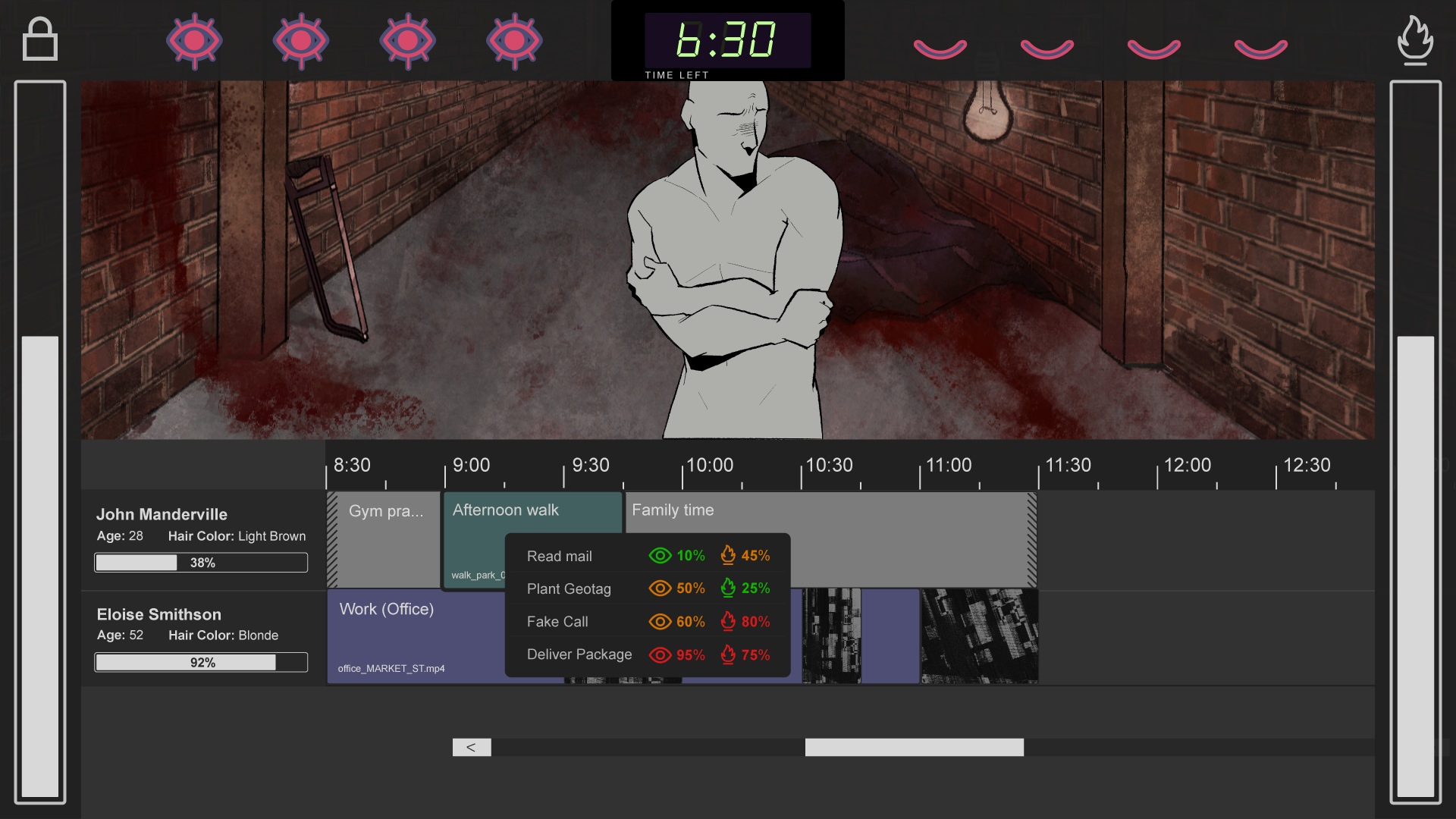
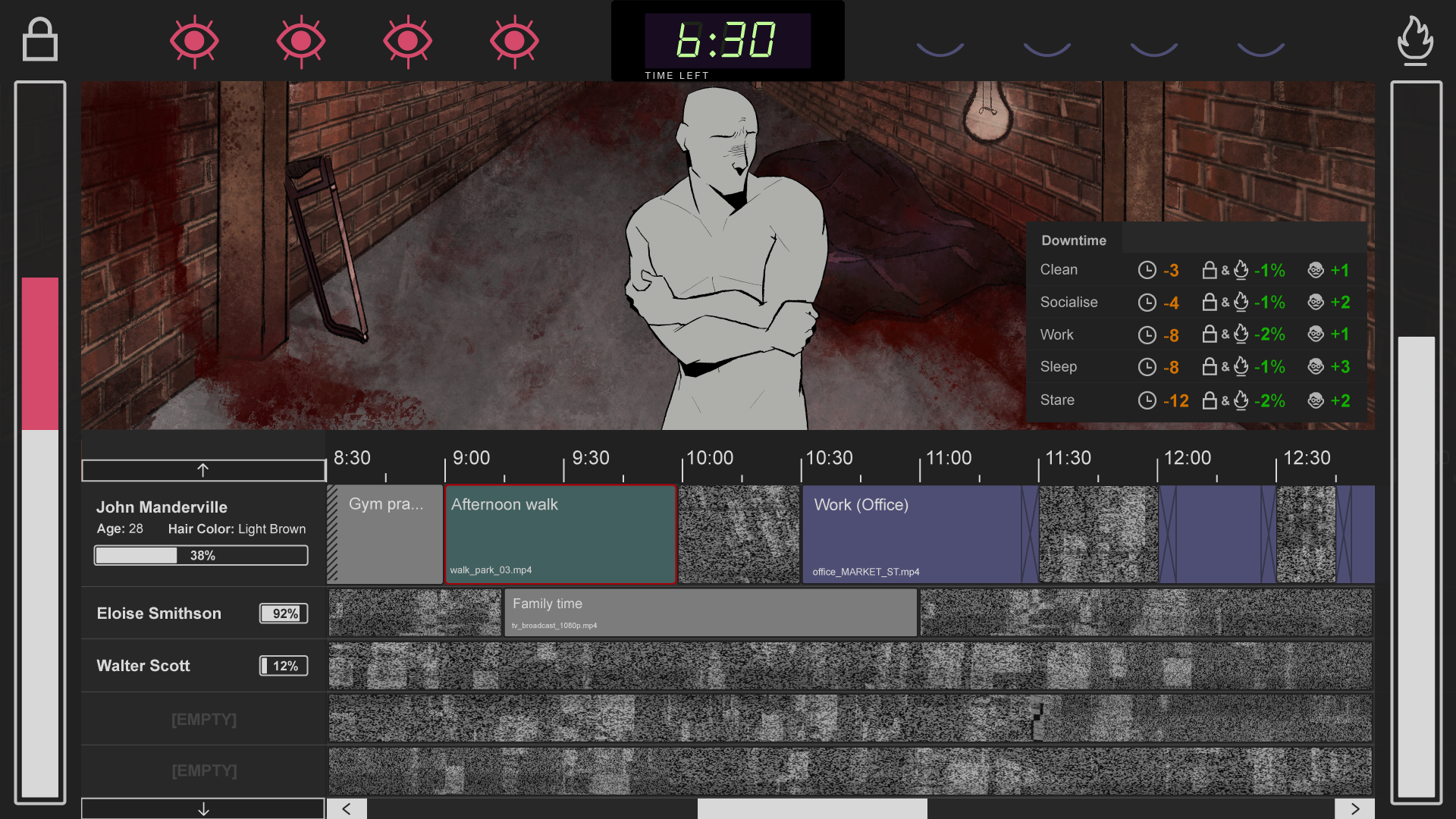
In comparison, below is what the first finished draft looked like. A lot of the icons came from iconmonstr, which I use often for free-to-use icons to rework and combine into what is needed for a project. It was especially useful to not spend time drawing icons from scratch too early on in the design process, as the game's design itself is likely to change along with stats being removed or combined into new ones, resulting in icons being discarded.
Different states that an element can be in are shown within the same mockup: filled and unfilled bars, on/off versions of icons, revealed/unrevealed/highlighted activity blocks. This helps with checking that all variations fit within the overall visual style.
Iterating
Initially, having the risk bars on each side of the screen was meant to make the player feel boxed in, adding to the oppressive feel of the game. However, we ended up moving the bars to the top to both give the timeline more horizontal space to work with, and to group all the core information in the top area. This avoids players having to look left and right to keep track of important stats, and meant that effects of actions on specific stats are easier to notice as they don't happen in the corner of your eye.
The mockup below added additional elements: the actions panel, a collapsible downtime panel, as well as weekday navigation. Some elements would be exported and pulled into our development build to see how they fit in action, and this would inform further visual iterations.
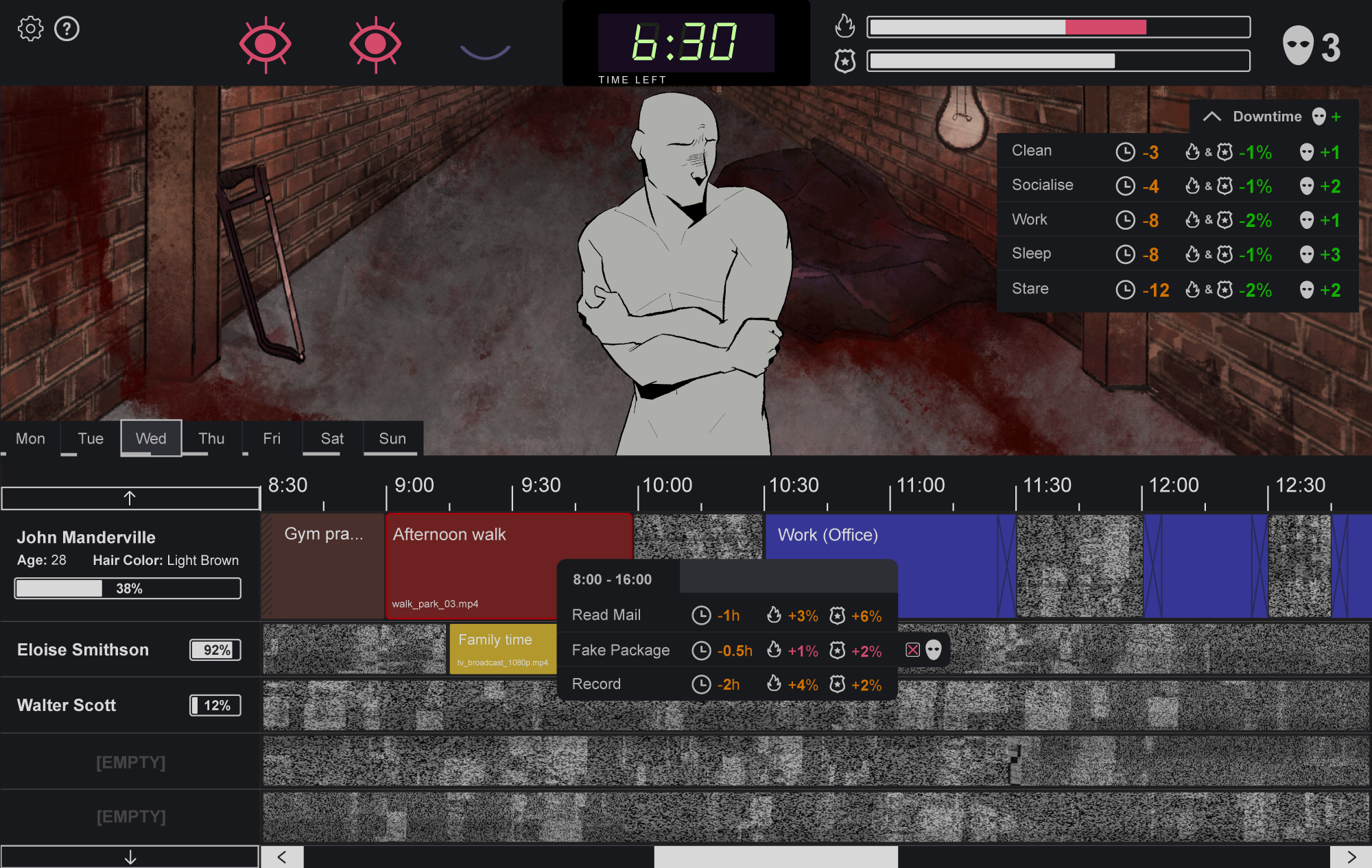
And here's the final mockup (spot the differences)! Versions of this mockup with different activity block colours were provided, so we could decide on whether to use a bright colour palette, a singular primary colour, or a more monochrome look.
The workspace
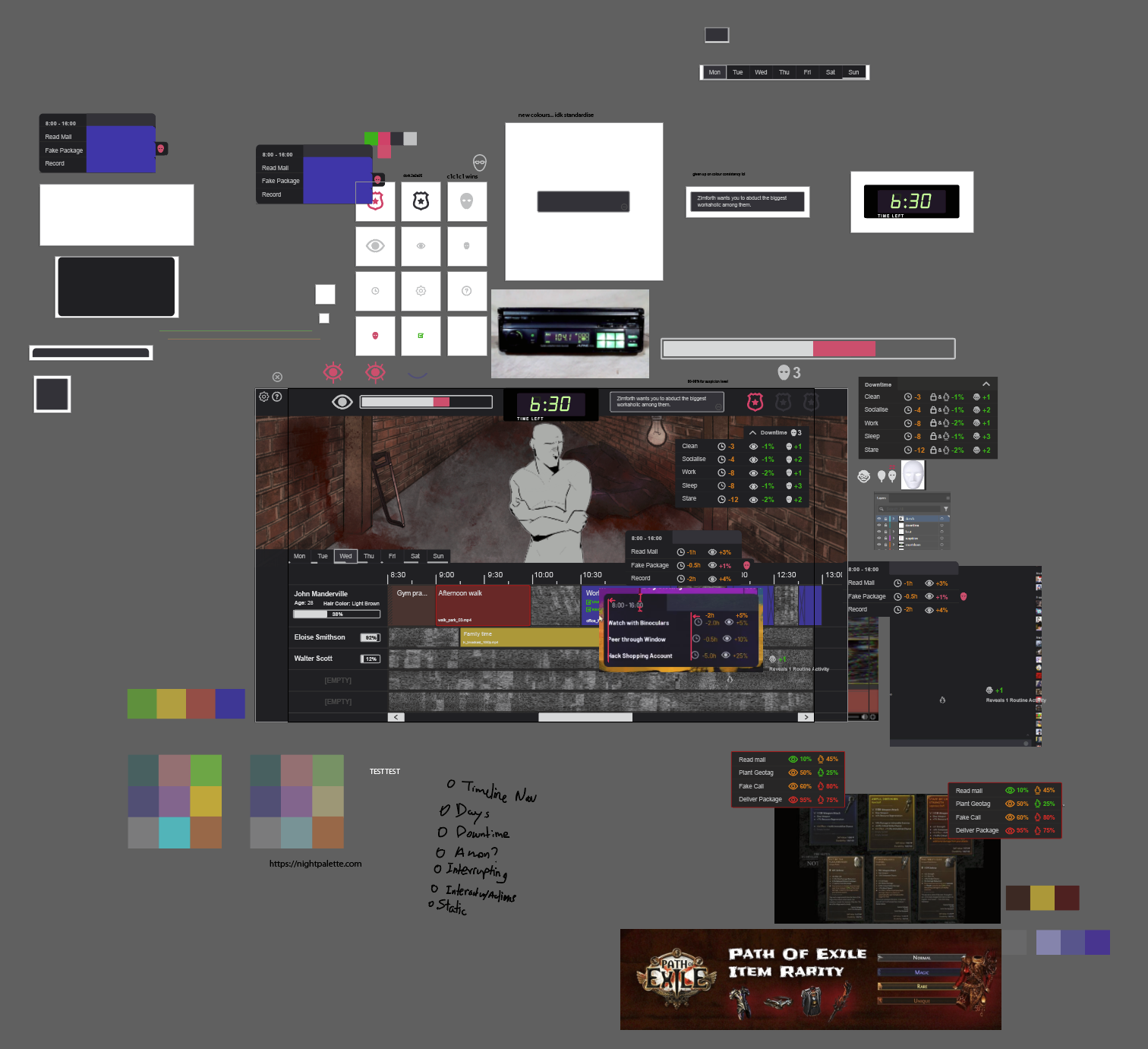
The main Illustrator file ended up a mix of artboards for exporting specific components, reference images, colour palettes, and quickly jotted ideas and task lists during co-working sessions.
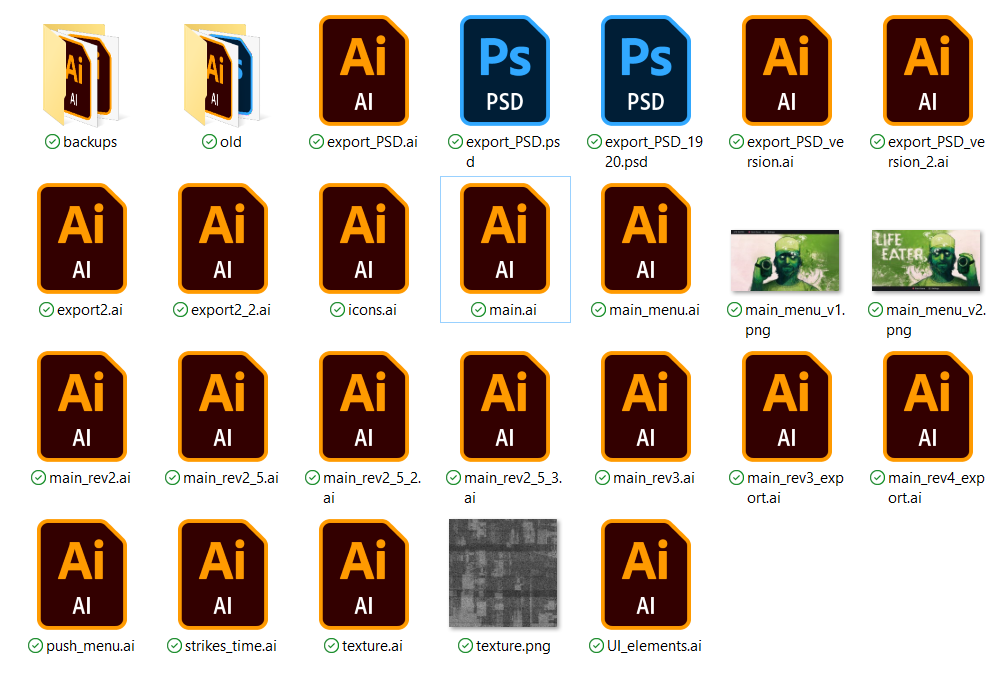
The project folder was itself a mix of different revisions of different parts of the UI. The process is inherently messy! Aesthetic images to be shared in a portfolio have to be intentionally dug out from that mess.
Handoff & final look
The UI was then handed off for an art and VFX pass to really give it that "haunted Shotcut" vibe.
On my side, this involved exporting individual components using a standardised naming convention to make things easy for our developer (essentially, type_component_state_version.png). Luckily, converting the Illustrator file to Photoshop was straightforward, so our artist was able to directly work with the individual layers of the final mockup file. In future projects, I'll keep in mind to check with the leads what the asset pipeline might look like ahead of time; that way, I can ensure I'm grouping and naming layers in a navigable way, if we know an artist is going to be using the original Illustrator or Photoshop files later down the line.
I then provided some additional feedback once the UI was implemented in-engine, and my job on the game was finished!
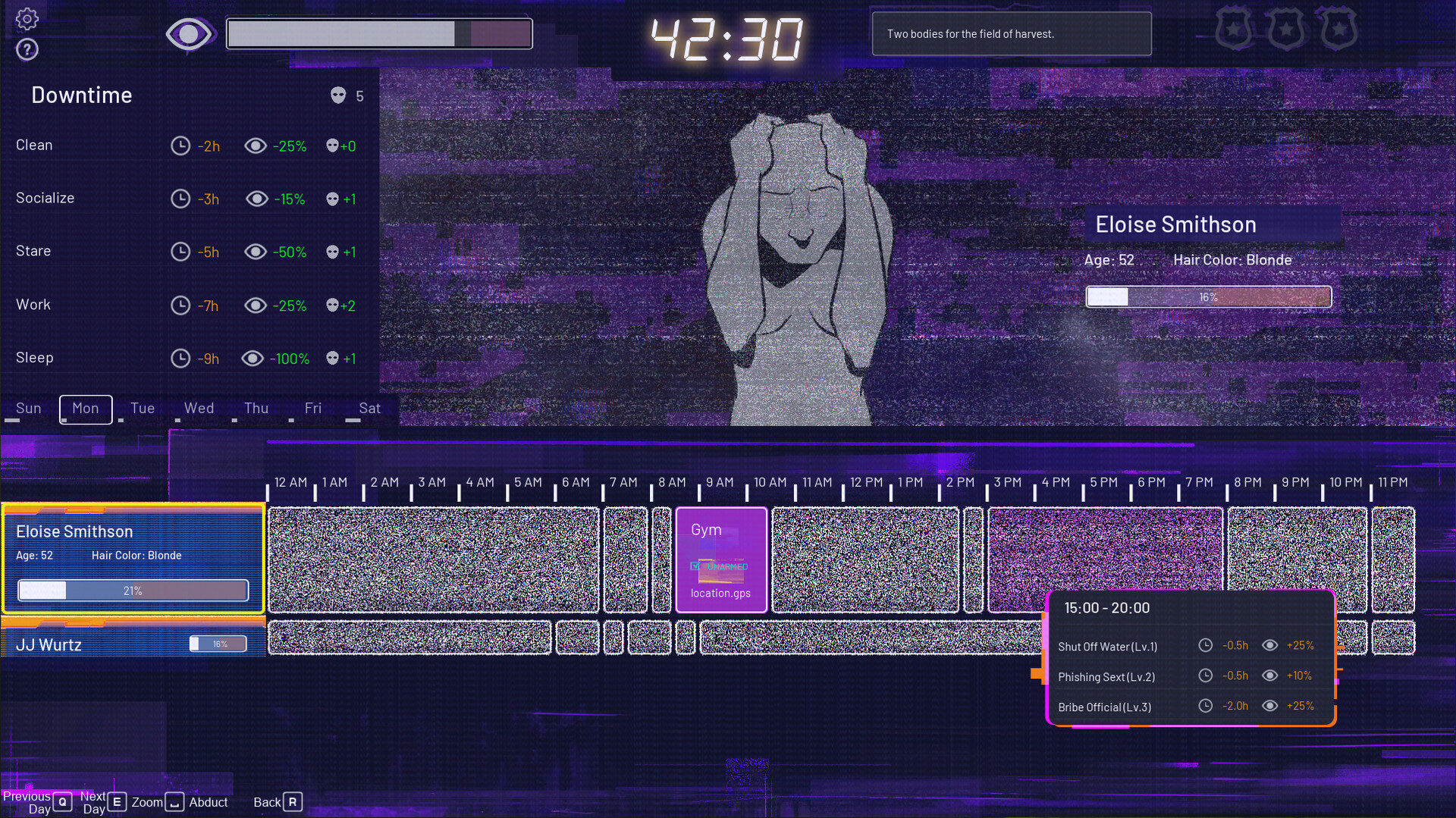
This is what the game looked like on release:
Bonus: main menu layout
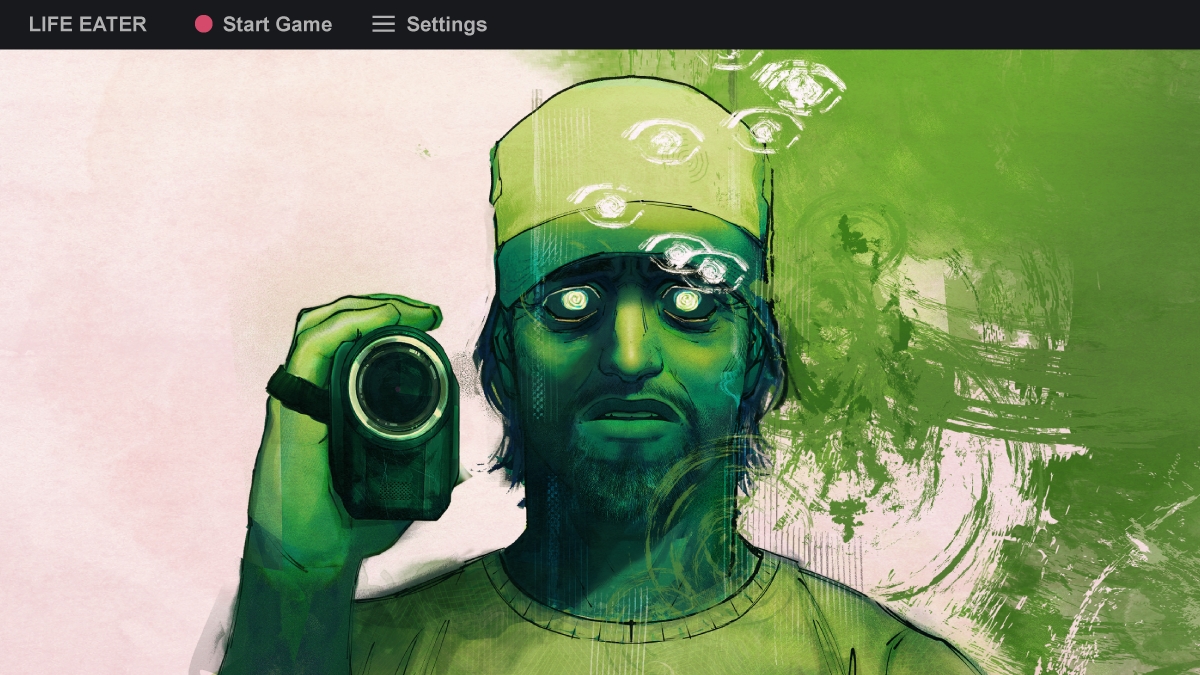
I also quickly threw together a couple simple main menu variations, one with the key art containing the game title, one without. I'm glad we kept the "live recording" red dot as an icon for the Start Game button!

Closing thoughts
And voilà! Thanks so much to Strange Scaffold, the Life Eater team for being lovely to work with, and special thanks to Xalavier for taking a chance on me on this project. It was my first time working on a commercial game, and as part of a team at a game studio. I learnt so much about so many things during it!
There was a really cool moment after release when I was randomly scrolling YouTube's Trending Games tab (which doesn't exist anymore, RIP), and noticed a Markiplier video that had an awfully familiar thumbnail. It was a playthrough of Life Eater! A game I worked on, on the YouTube Trending tab (RIP)! I had somehow missed the Strange Scaffold Discord message about this, and it was so nice to encounter the video purely by chance and have the genuine realisation moment!
If you're interested in Life Eater:
- check it out on Steam
- watch Markiplier play it
- read the NME review; they've listed Life Eater as one of the best games of 2024 so far!
Thank you so much for reading.